Google Pixel 8 / 8 Pro - Power Up in Safe Mode
Here's how to boot your Pixel 8 / 8 Pro into Safe Mode to help determine if an app is causing it to freeze, reset or run slowly.
Safe Mode puts your phone in a diagnostic state (returned to default settings) so you can determine if a third-party app is causing your device to freeze, reset or run slow.
An alternate method is available if the device can be powered on and is responsive.
- Ensure the device is powered off.
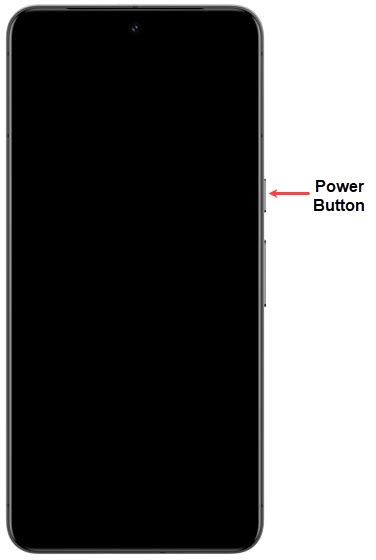
- To power off, press and hold thePower button(upper-right edge with the charging port facing down) until the handset options prompt appears then release.
- From the handset options prompt, tapPower off.Allow several seconds for the device to power off.
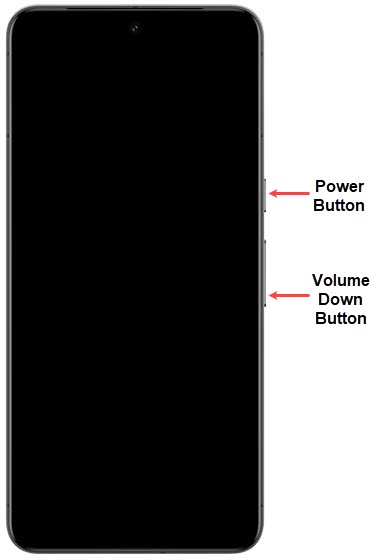
- Press thePower buttonto turn the device on and allow several seconds for the Google™ logo to appear.
- With the Google logo on screen, press and hold theVolume down button.
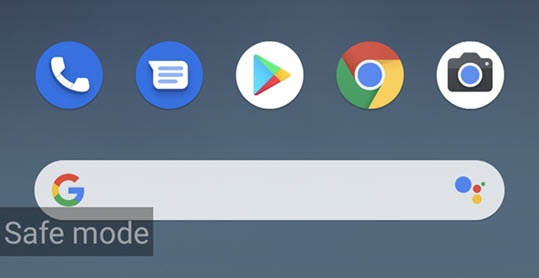
- Continue to hold theVolume down buttonuntil 'Safe mode' appears in the lower-left of the unlock screen then release.This may take up to 30 seconds.
- With Safe Mode enabled, ensure Airplane Mode is turned off then test device and app functionality.