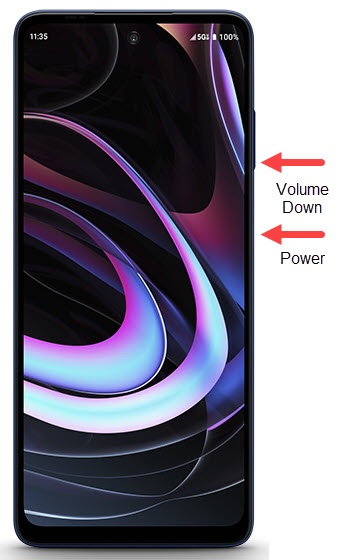
MOTOROLA EDGE+ 5G UW - Capture a Screenshot
Here's how to capture a screenshot on your motorola edge+ 5G UW.
- To capture a screenshot, simultaneously press thePowerandVolume Down buttons(right edge) until the screen flashes (approximately 2 seconds).
- Once you capture a screenshot, the following options may appear:If no option is selected, the image automatically saves in your Photos
gallery.
- Edit
- Share
- Google Lens
- Delete
- Scroll Capture
(not available for all screens)
To view the screenshot you've taken, navigate: .