Orbic Speed 5G - Activate / Set Up Device
Here's how to quickly set up your Orbic Speed 5G.
Follow these step-by-step instructions to activate your Verizon Orbic® Speed 5G™.
Package Contents
The Orbic Speed 5G package includes:
- Orbic Speed 5G
- 4400 mAh Standard Lithium Ion Battery
- Pre-installed 5G SIM Card
- Charger
- USB-C Cable
- Brochures
System Requirements
- Compatible with all major operating systems.
- Works with the latest versions of browsers, including Chrome™ Firefox®, Internet Explorer®,Safari®, etc.
To use Wi-Fi mode, your computer or other device needs Wi-Fi capability and internet browser software.
Initial Setup
- Insert the battery.Before using the device, ensure the battery is fully charged.
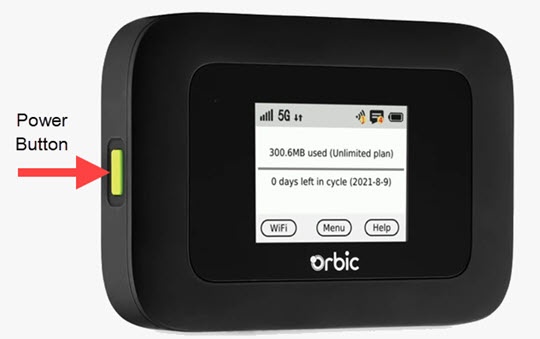
- Turn the power on by holding thePower buttonfor 2 seconds.Activation is performed automatically and may take several minutes to complete.
- Devices may now connect to the Orbic Speed 5G via Wi-Fi.The network credentials (SSID and password) are located in the device settings.Refer to Connecting to a Wi-Fi network for additional assistance. Select the appropriate operating system: